Icon of program: Windows File Recovery

Windows File Recovery

  • Free
  • 3.5
    6
  • 33.8K
  • V0.1.20151.0
Free Download for Windows

View an ad to download for free

Free recovery tool for Windows

Windows File Recovery is a free file manager software that enables you to recover lost data. Developed by Microsoft, this handy little tool can work on accidental deletions, drive wipes, corrupted data, and dozens of file types. Compared to other full-fledged data recovery programs, this one seems to lack advanced features. However, just by being an application optimized for the Windows operating system, it already has a bit of an edge over other software.

Top Recommended Alternative

Tricky to use

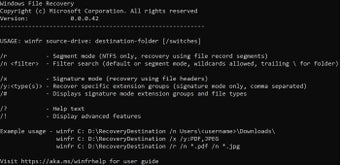
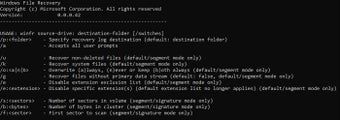
Windows File Recovery is, first and foremost, a command-line program. It relies on typed instructions, rather than a graphical user interface. This makes it difficult for those who don’t know how to use the command-line function to even make do with the tool. However, you can always learn online. You can also check out the link, aka.ms/winfrhelp, for the user guide. The program is available on Windows 10, 2004 and above.

The default mode for this utility was made for NTFS file systems. It will recover files from a corrupted disk or after you’ve formatted a disk. If you’d like to extend beyond NTFS, however, you can try the Signature Mode, which allows you to recover specific file types across FAT, exFAT, and ReFS file systems. This mode may take longer, but it can also target file names, keywords, file paths, or extensions in its search.

The program can also recover from cameras, SD cards, HDDs, and flash drives. It supports various file formats, too—from documents and images to Office files and ZIPs. However, to get the most optimal version of the lost data, it’s recommended that you immediately use this tool as soon as you lost a file. This ensures that it hasn’t been overwritten, and you need to avoid using your computer during this period. 

Reliable enough

All in all, Windows File Recovery is a great application to have in your arsenal. Its lack of a GUI severely limits its use to most of Windows’ userbase, but those who know command-line well can benefit a lot from its features. This software could use some more advanced features that are often found in other data recovery programs, but even in this state, it’s a recommended tool to try out.


  • Pros

    • Command-line functionality
    • Lightweight
    • Has two modes
    • Can recover from external drives
  • Cons

    • No graphical user interface
    • Not a lot of advanced features
 0/2

App specs

  • Developer

  • License

    Free

  • Version

    0.1.20151.0

  • Latest update

  • Platform

    Windows

  • OS

    Windows 11

  • Language

    English

    Available languages

    • Arabic
    • Czech
    • Danish
    • German
    • Greek
    • English
    • Spanish
    • Finnish
    • French
    • Hindi
    • Italian
    • Japanese
    • Korean
    • Dutch
    • Norwegian
    • Polish
    • Portuguese
    • Russian
    • Swedish
    • Turkish
    • Chinese
  • Downloads

    33.8K

    Last month's downloads

    • 410
  • Size

    813.09 KB

Program available in other languages


Icon of program: Windows File Recovery

Windows File Recovery

  • Free
  • 3.5
    6
  • 33.8K
  • V0.1.20151.0
Free Download for PC

View an ad to download for free


User reviews about Windows File Recovery

Have you tried Windows File Recovery? Be the first to leave your opinion!

Add review

You may also like

Alternatives to Windows File Recovery

Explore Apps

Latest articles

Laws concerning the use of this software vary from country to country. We do not encourage or condone the use of this program if it is in violation of these laws.
Softonic

Is Windows File Recovery safe?

100/100

Score result: Clean

This file passed a comprehensive security scan using VirusTotal technology. It is safe to download.

  • Virus free
  • Spyware free
  • Malware free
  • Verified by Security Partners

    VirusTotal logo

Scan Info

Last scan
Thursday, November 19, 2026
Scan provider
VirusTotal · Full report

File Integrity

File
Windows_File_Recovery_V0.1.20151.0.exe
SHA256
c1f487887f4896fd70316a8b9df69771acc4e030beb22d889873503ae8721815
SHA1
10834beb9306c32bd4b41f062cadc1f9934a44d7

Softonic security commitment

Windows File Recovery has been thoroughly scanned by our advanced security systems and verified by industry-leading partners. This file comes from the official developer and has passed all our security checks, showing no signs of viruses, malware, or spyware. For more information, visit our Security and Trust Center

Signed in to Softonic as